In many landed homes, signal strength drops because concrete floors, thick walls and long layouts weaken the wireless path. Poor AP placement or weak backhaul can make the effect much worse.
weak wifi upstairs • mesh still failing • dead zones • landed homes •
singapore
Landed Home WiFi & Network Solutions Singapore
If your WiFi is still weak upstairs, patchy in bedrooms, unstable between floors, or poor even on a fast fibre plan, the problem is usually bigger than the router. Many homeowners subscribe to 5Gbps or 10Gbps broadband and still do not feel that speed in the actual rooms they use. In landed homes, thick concrete walls, floor slabs, poor access point placement, and weak internal network design often create dead zones that mesh alone cannot properly solve.
HAP fixes weak landed-home WiFi with proper network design — wired access points, structured cabling, switching, and cleaner installation for larger homes in Singapore. If you already tried mesh and it still feels patchy, our landed home WiFi solutions page goes deeper into how coverage should be planned room by room.
Weak WiFi Upstairs
Mesh Still Not Solving It
Dead Zones in Bedrooms
10Gbps Plan, Still Slow in Rooms
Clean Installation for Premium Homes
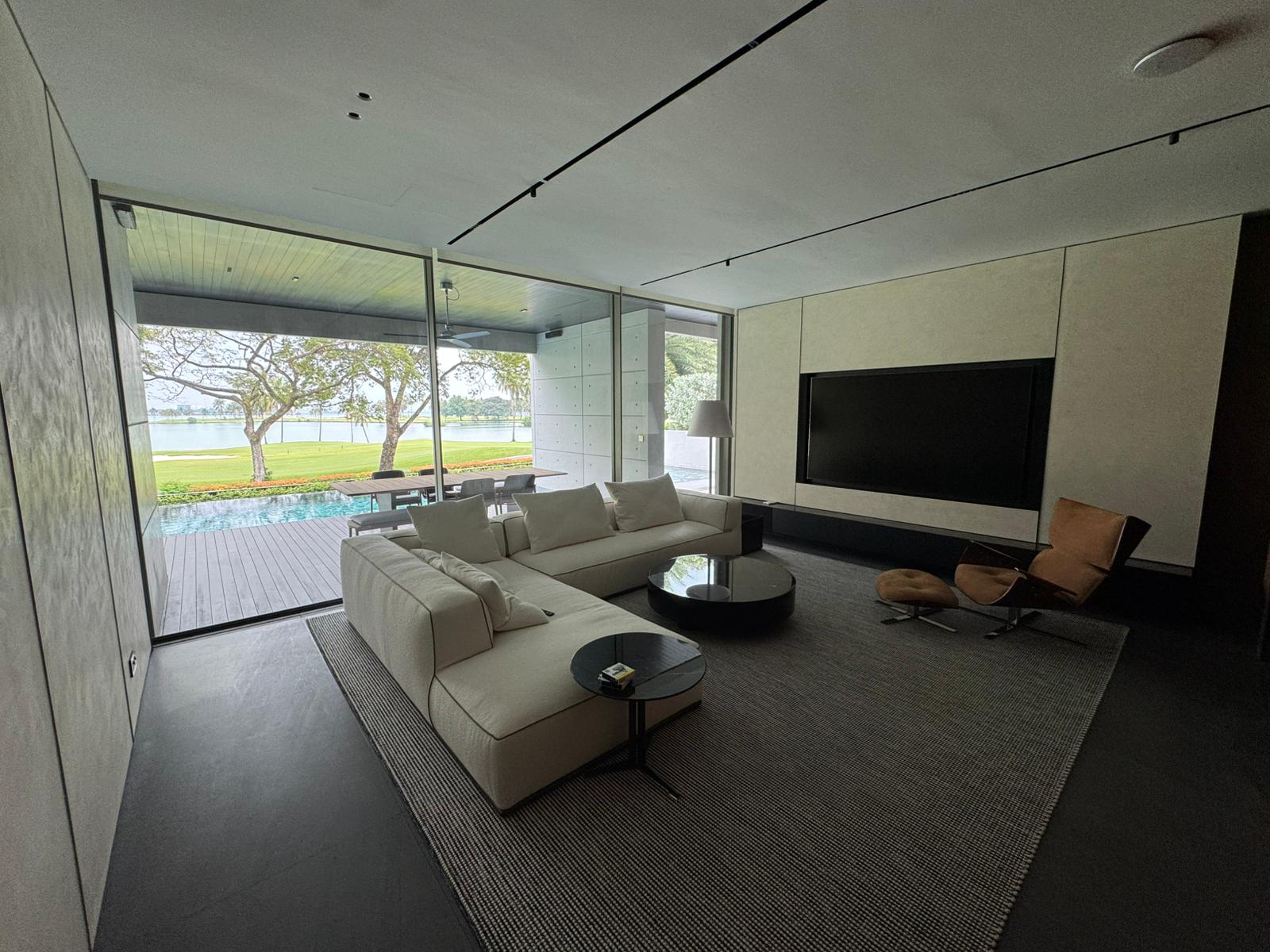
Weak WiFi Upstairs
Upper floors often feel the worst because signal struggles through concrete slabs and bad placement. This is usually where owners first realise the router or mesh is not enough.
FIX UPSTAIRS WIFI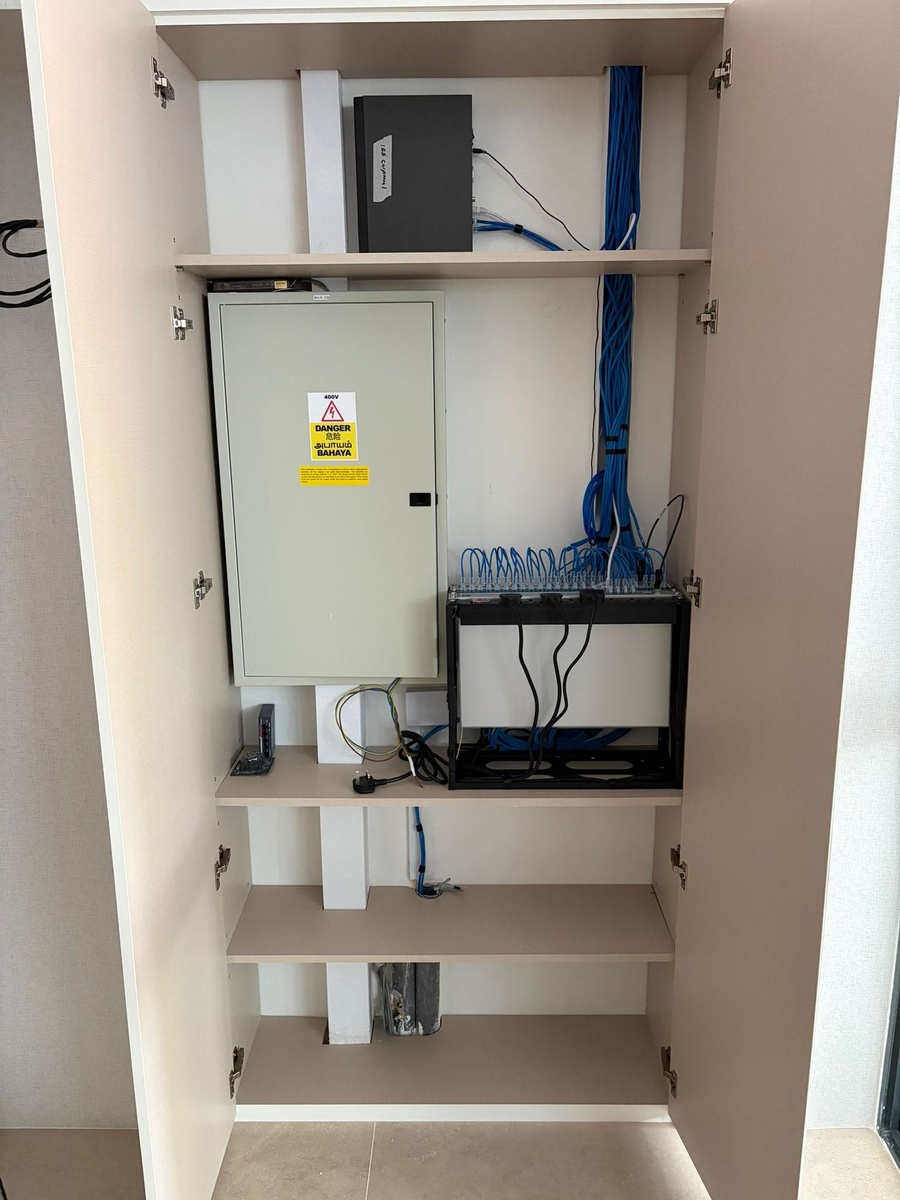
Mesh Still Not Solving It
If a mesh system is already installed but rooms still feel patchy, weak wireless hops and poor in-home layout are often the real problem. This is where wired backhaul and better network planning start to matter.
MOVE BEYOND MESH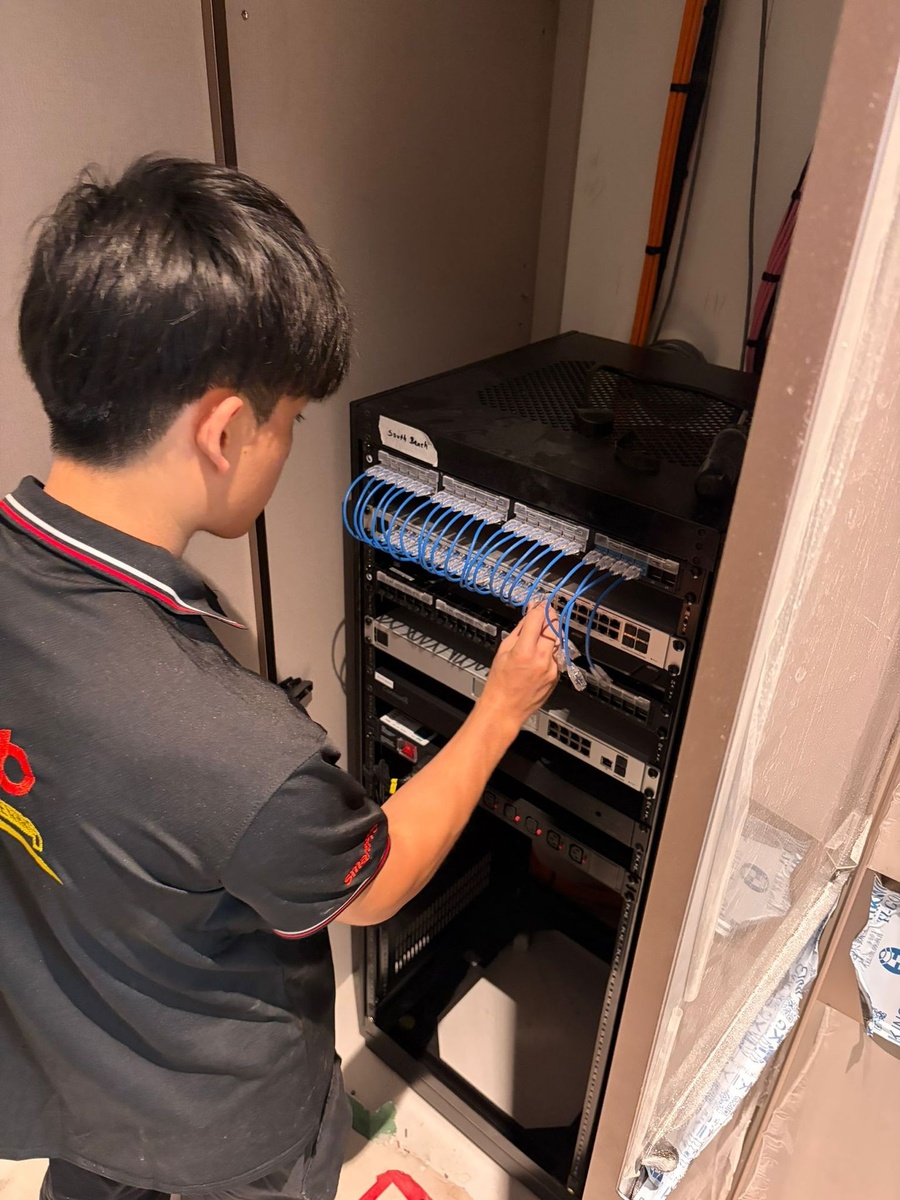
Fast Fibre, Poor Real-World Speed
A fast internet plan does not solve weak in-home design. If the internal backbone, data points, switching, or AP placement are weak, the whole house can still feel slow in the rooms that matter most.
FIX SLOW REAL-WORLD SPEEDDoes This Sound Familiar?
These are the complaints landed-home owners usually have before they stop blaming the router and start looking at the house network properly.
Weak upstairs WiFi, dead bedrooms, unstable mesh
If upstairs rooms feel weaker than downstairs, bedrooms keep dropping signal, mesh still feels patchy, or the porch and gate lose coverage, the issue is usually not random. When the same complaints keep coming back, the next step is often broader WiFi repair and optimisation or a proper redesign of the internal network.
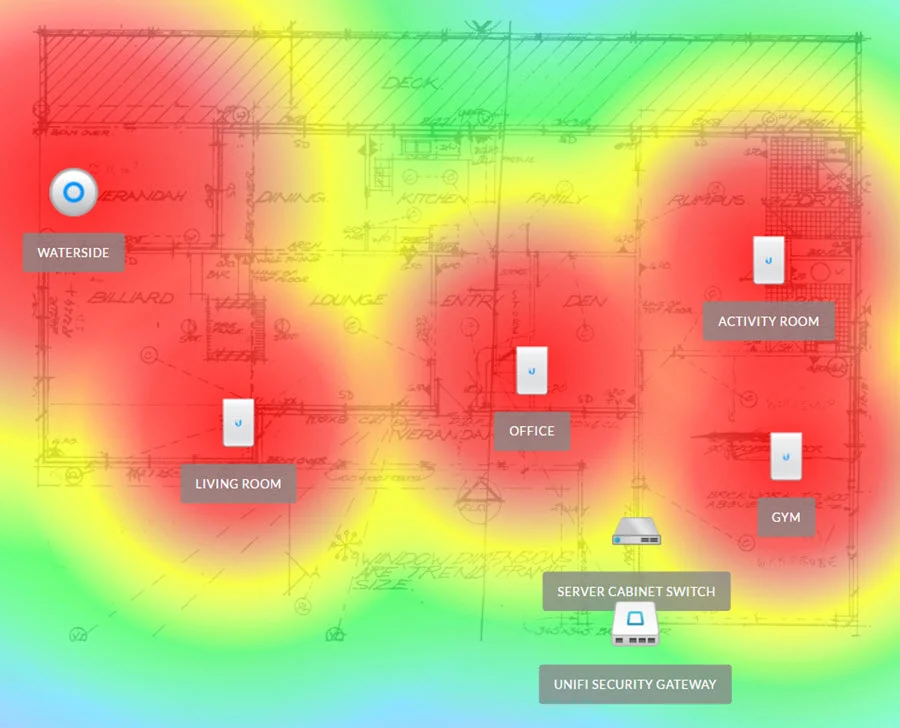
Why this keeps happening in landed homes
Multi-storey layouts, reinforced concrete, long corridors, outdoor areas, and poor equipment placement all work against normal consumer WiFi setups. That is why many premium homes eventually move toward wired access point systems, stronger switching, and better backbone planning instead of hoping a wireless mesh chain will somehow fix everything.
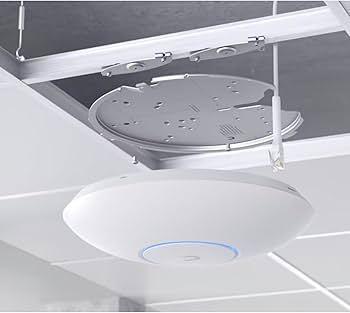
How we fix weak WiFi in landed homes
The fix is usually not one product. It is better access point placement, wired backhaul where needed, switching, and the right number of data points based on how the house is actually laid out. That is why many owners end up needing whole-home WiFi and network upgrades rather than another router swap.
- Wired access points placed where the weak rooms actually are
- Cat6 backbone and data points to reduce weak wireless hops
- Switching and network design that support smart-home, CCTV and AV loads
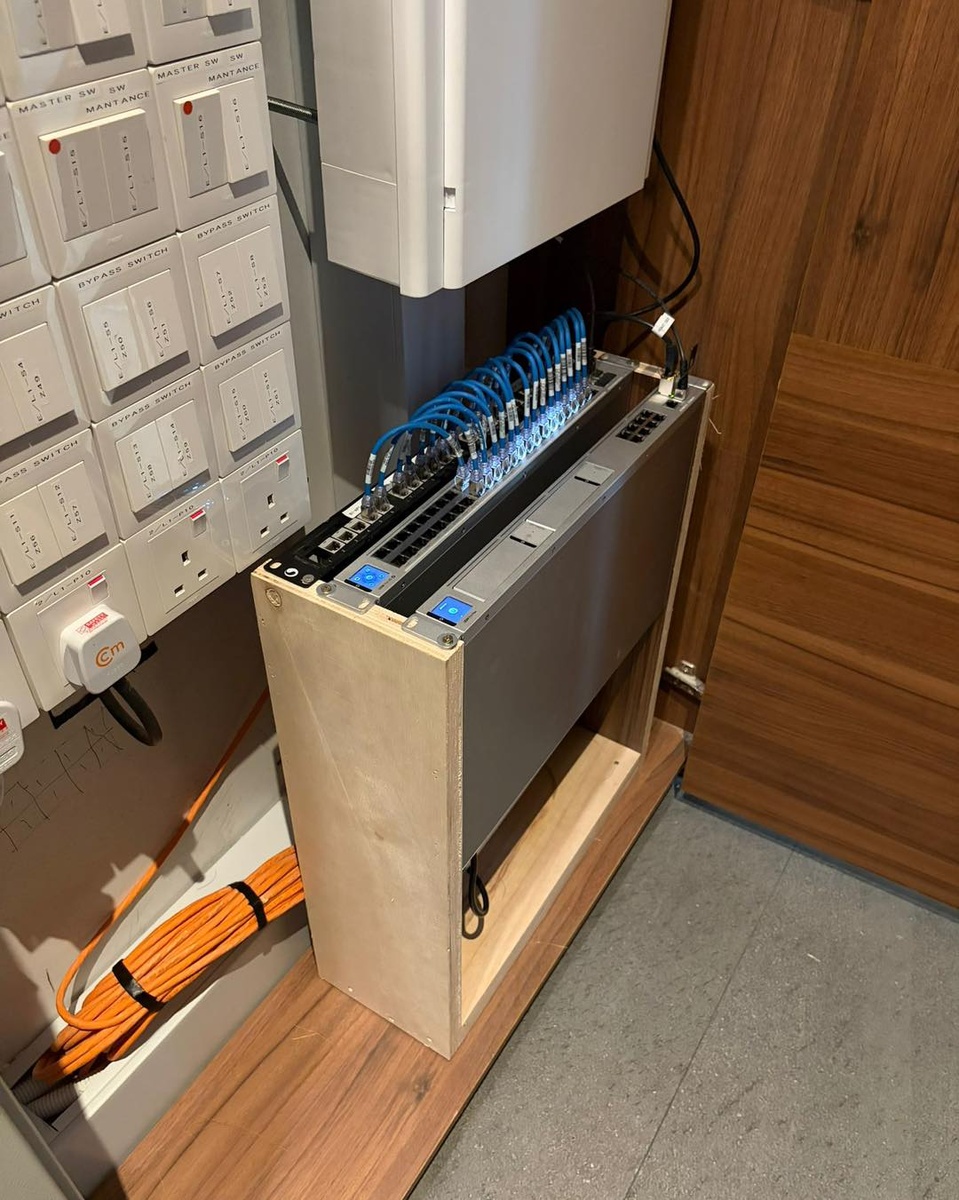
Why a 10Gbps plan can still feel disappointing in a landed home
Many homeowners upgrade to 5Gbps or 10Gbps fibre expecting every room to suddenly feel fast. In reality, the broadband plan is only the incoming pipe. If the in-home network is still relying on weak mesh hops, poor AP placement, older bottleneck switches, limited uplinks, or badly placed ISP equipment, the rooms upstairs or far from the router may still feel slow.
Why the speed does not carry through the whole house
- Strong WiFi bars do not guarantee strong real-world throughput
- Wireless mesh nodes can repeat signal while reducing usable speed
- Older switches, uplinks or patching may bottleneck a faster fibre plan
- 5GHz and 6GHz are faster, but they do not travel through walls and floors as well
What usually needs to change
- Wired access points placed closer to the rooms that matter
- Better data-point planning between floors and key spaces
- Proper switching and backbone design for higher-speed broadband
- Testing the actual room-by-room experience, not just the plan on paper
If your broadband plan looks impressive on paper but the house still feels inconsistent, that usually points to a whole-home network design problem, not just an ISP issue.
What the right fix usually depends on
Some homes mainly have a coverage problem. Others have a backbone problem. The right next step depends on which one is actually causing the frustration.
Best for dead zones & roaming issues
Landed Home WiFi Design
Best when the main issue is patchy room-to-room coverage, weak upstairs performance, or unstable movement between floors. This page focuses more directly on AP placement, roaming and practical coverage outcomes.
- Bedroom and upper-floor coverage planning
- When to move beyond mesh
- Property-specific WiFi design for larger homes
Start here: Landed Home WiFi Singapore
Best for weak backbone or limited LAN points
Mesh Still Not Solving It & Data Points
Best when there are not enough data points for proper access point placement, or when the existing internal network backbone is limiting what the WiFi can actually do.
- Cat6 / Cat6A planning for access points and switches
- Support for cleaner wired backhaul design
- Useful when upgrading from basic ISP layouts
Best for luxury homes and larger residences
Good Class Bungalow & Premium Home Networks
For larger compounds, higher device counts, smart-home systems, CCTV, intercom, AV zones, and clients who care about cleaner integration and premium-home execution.
Next step
Contact Us About Your Landed Home Network
The fastest way to tell whether your problem is poor placement, weak backhaul, limited data points, or a bigger network design issue is to review the layout properly. For larger homes, that matters far more than guessing from a router model alone.
What to send: Floor plan, broadband point, current router or AP locations,
problem rooms
What you get: A clearer view of whether you need optimisation, more data
points, or a bigger network redesign
Prefer WhatsApp? Share your layout and problem areas and we will get back to you.
Why landed-home WiFi still feels bad — and what usually fixes it
A practical overview of the problems larger homes usually run into before deciding whether to repair, optimise, or rebuild the internal network properly.
Key Takeaways
| Question | Answer |
|---|---|
| Why is WiFi weaker upstairs in a landed home? | Concrete floors, poor AP placement and weak wireless backhaul often reduce signal strength and roaming quality between levels. |
| Does fast broadband guarantee strong WiFi everywhere? | No. Internet speed and internal network design are not the same thing. A weak in-home layout can still feel slow on a fast plan. |
| When are wired access points better than mesh? | Usually when the home is larger, multi-storey, concrete-heavy, or already has data points that can support a stronger wired backbone. |
| What does a proper landed-home network usually involve? | Floor-plan review, AP placement, data point availability, switching, structured cabling, optimisation and post-install testing. |
| What should I send before asking for advice? | A floor plan, the broadband point, current router/AP locations, and the rooms or outdoor areas where the network feels worst. |
1) Why landed homes break normal WiFi setups
In a landed home, you are not only covering more space. You are usually dealing with more vertical distance, more concrete separation, and more edge areas like car porch, gate, helper rooms or detached corners. That is why a landed-home network should be treated more like a designed system than a consumer gadget purchase.
- More floors means more signal loss and more roaming complexity
- Room layout affects where access points should actually go
- Outdoor and boundary coverage are often part of the brief too
2) Which bottleneck is actually hurting you
A very common misunderstanding is that strong WiFi bars automatically mean fast internet. They do not. Signal strength and usable speed are not the same thing. A mesh node can still show strong WiFi while repeating a weaker connection than the original source.
When the issue is mainly WiFi coverage
The answer may be better placement, more suitable access points, and improved roaming instead of simply swapping the router.
- Dead zones in rooms
- Weak upstairs signal
- Mesh handoff instability
- Strong bars but poor actual room speed
When the issue is the internal backbone
If data points, cabling or switching are weak, the WiFi layer may never perform consistently no matter which mesh system is used.
- Not enough data points
- Poor wired backhaul options
- Switch capacity and uplink limitations
- Older patching that cannot support the planned AP layout well
3) When mesh stops being enough
Mesh can still be useful in some homes, but once the property gets larger or more structurally difficult, a wired access point design usually gives stronger stability, better roaming and more predictable performance. That is why many owners move from “trying a mesh kit” to building the network properly.
Where mesh tends to struggle
- Concrete floor-to-floor links
- Long corridors and awkward room geometry
- Outdoor edge areas
- Showing decent signal bars while real speed keeps dropping across hops
Where wired APs usually help
- More consistent roaming
- Stronger room-to-room performance
- Better support for more demanding device counts
- Closer experience to being near the original router uplink
For new builds and renovations, one of the biggest mistakes is not pre-planning enough access-point or Ethernet locations in bedrooms and between floors. That becomes a real limitation later when 5GHz and 6GHz performance drops across walls and slabs. In simple terms: 2.4GHz travels further but is slower, 5GHz is much faster but weaker through walls, and 6GHz can be faster again but over shorter range.
4) What premium-home owners usually care about
In higher-end homes, the network often has to support more than phones and laptops. Smart-home processors, CCTV, intercoms, AV zones, streaming, guest WiFi and even helper networks may all be running in parallel. That is why the landed-home network page should naturally connect into HAP’s wider home-technology ecosystem instead of standing alone.
- Guest and household traffic may need separation
- Smart-home, CCTV and AV systems can benefit from better network planning
- Clean installation and finish preservation matter more in premium interiors
- Retrofit work should make use of existing data or telephone points where practical
- Older Cat5e cabling can still be worthwhile if it supports a more stable wired AP layout
5) How a proper fix is planned
The strongest results usually come from reviewing the layout first, deciding whether the main issue is coverage or backbone, and then planning the network around how the home is actually used.
- Review: floor plan, broadband point, current equipment and problem areas
- Assess: likely dead zones, existing data points, possible AP locations and wired-backhaul options
- Design: WiFi layout, cabling needs, switching and any outdoor or premium-home requirements
- Install: access points, cabling, switching and any related infrastructure upgrades
- Optimise: tuning, testing, roaming checks and practical everyday validation
Project Portfolio
Explore HAP’s project portfolio to see how we approach premium residential networking, WiFi upgrades, structured cabling, and smart home infrastructure across real homes in Singapore.
Landed Home WiFi FAQ — Weak Upstairs Signal, Mesh Failure, Dead Zones & Wired Access Points
Tap a question to view the answer.
Sometimes, but not always. For larger or more concrete-heavy homes, mesh may still leave unstable roaming and weak areas. That is where wired access points often become the better long-term answer.
Usually when the home has multiple floors, repeated dead zones, weak room-to-room performance, or when mesh has already been tried without solving the issue.
In many homes, yes. Existing cabling can sometimes support access points or better wired backhaul, which is why reviewing the current data-point layout is useful before redesigning the network.
Yes. Outdoor edge areas are common pain points in landed homes, especially where the owner wants stronger device connectivity, cameras, intercom support or general day-to-day coverage.
No. The internet plan is only one part of the equation. Internal switching, cabling, AP placement and the overall network layout still shape the real-world experience throughout the house.
Yes, but larger homes often benefit from more deliberate network planning when multiple systems are running at the same time. That is part of why premium-home networks should be scoped properly.
The wired side matters just as much. In landed homes, WiFi performance is often heavily shaped by the backbone, data points, switches and whether proper wired backhaul is available.
Fast broadband does not automatically fix poor in-home design. Bottlenecks often come from weak AP placement, limited wired backhaul, poor roaming, overloaded ISP equipment, or too many devices depending on one weak WiFi layer.
In many cases, yes. The answer depends on existing data points, ceiling access, equipment location and how much visible routing is acceptable. Some homes can be improved significantly without a full rebuild.
Not always. Placement depends on coverage needs, but in premium homes the design usually tries to balance performance with cleaner visual integration, especially where false ceilings or better mounting positions are available.
Yes. Roaming issues are common in larger homes. Better AP placement, stronger backhaul and cleaner network design usually make movement through the home feel much more consistent.
Not every setup needs the same hardware, but many wired access-point designs do use PoE switching because it simplifies power delivery, helps centralise the network, and supports cleaner installation for multiple AP locations.
Not always. In many landed homes, adding more mesh nodes can still leave unstable wireless hops, awkward roaming, and weak room-to-room consistency if the real problem is structure, placement, or missing wired backhaul.
That is usually part of the brief in premium homes. The right answer depends on ceiling access, existing data points, equipment location, and how much visible routing is acceptable, but cleaner integration is absolutely part of proper planning.
Both are possible. Renovation-stage planning is easier, but many finished homes can still be improved depending on the existing cabling, ceiling access, and how aggressive the owner wants the upgrade to be.
Both are possible. Renovation-stage planning is easier, but many finished homes can still be improved depending on the existing cabling, ceiling access, and how aggressive the owner wants the upgrade to be.
Strong WiFi signal and fast internet speed are not the same thing. A device can still show good signal bars while getting reduced throughput because the mesh hop, backbone, switching or AP uplink behind it is weak.
A mesh node can repeat WiFi coverage and still pass along a weaker usable connection than the original wired source. That is why more bars on screen do not always mean better room speed or more consistent performance.
A very common mistake is not pre-planning enough network points for access points in bedrooms, common areas, and between floors. Once the house is finished, it becomes harder to place APs where they should have been from the start.
Yes, in many cases it still can. Even if the home is older, a wired access-point system over existing Cat5e can still be more consistent and reliable than relying fully on wireless mesh alone.
Sometimes, yes. If the existing cabling path is still usable and not damaged, older points can sometimes be repurposed or converted at the patching location to support Ethernet and a better AP layout.
Not necessarily. In a properly designed system, access-point power levels and channels can be tuned so the coverage complements itself instead of simply blasting the whole house at maximum strength.
Yes. That is usually the best first step, especially for larger homes. A floor plan makes it much easier to see whether the issue is coverage, cabling, switching or a bigger design problem.
Still Dealing With Weak WiFi in Your Landed Home?
If your house has dead zones, weak upstairs coverage, poor outdoor signal, unstable mesh, or disappointing real-world performance despite a fast fibre plan, the issue is usually bigger than the router. Contact us with your floor plan and current setup, and we can advise on the right network approach for your home.
weak wifi upstairs • mesh still failing • dead zones • landed homes •
singapore
Landed Home WiFi & Network Solutions Singapore
If your WiFi is still weak upstairs, patchy in bedrooms, unstable between floors, or poor even on a fast fibre plan, the problem is usually bigger than the router. Many homeowners subscribe to 5Gbps or 10Gbps broadband and still do not feel that speed in the actual rooms they use. In landed homes, thick concrete walls, floor slabs, poor access point placement, and weak internal network design often create dead zones that mesh alone cannot properly solve.
HAP fixes weak landed-home WiFi with proper network design — wired access points, structured cabling, switching, and cleaner installation for larger homes in Singapore. If you already tried mesh and it still feels patchy, our landed home WiFi solutions page goes deeper into how coverage should be planned room by room.
Weak WiFi Upstairs
Mesh Still Not Solving It
Dead Zones in Bedrooms
10Gbps Plan, Still Slow in Rooms
Clean Installation for Premium Homes
Weak WiFi Upstairs
Upper floors often feel the worst because signal struggles through concrete slabs and bad placement. This is usually where owners first realise the router or mesh is not enough.
FIX UPSTAIRS WIFI
Mesh Still Not Solving It
If a mesh system is already installed but rooms still feel patchy, weak wireless hops and poor in-home layout are often the real problem. This is where wired backhaul and better network planning start to matter.
MOVE BEYOND MESH
Fast Fibre, Poor Real-World Speed
A fast internet plan does not solve weak in-home design. If the internal backbone, data points, switching, or AP placement are weak, the whole house can still feel slow in the rooms that matter most.
FIX SLOW REAL-WORLD SPEEDDoes This Sound Familiar?
These are the complaints landed-home owners usually have before they stop blaming the router and start looking at the house network properly.
Weak upstairs WiFi, dead bedrooms, unstable mesh
If upstairs rooms feel weaker than downstairs, bedrooms keep dropping signal, mesh still feels patchy, or the porch and gate lose coverage, the issue is usually not random. When the same complaints keep coming back, the next step is often broader WiFi repair and optimisation or a proper redesign of the internal network.
Why this keeps happening in landed homes
Multi-storey layouts, reinforced concrete, long corridors, outdoor areas, and poor equipment placement all work against normal consumer WiFi setups. That is why many premium homes eventually move toward wired access point systems, stronger switching, and better backbone planning instead of hoping a wireless mesh chain will somehow fix everything.
How we fix weak WiFi in landed homes
The fix is usually not one product. It is better access point placement, wired backhaul where needed, switching, and the right number of data points based on how the house is actually laid out. That is why many owners end up needing whole-home WiFi and network upgrades rather than another router swap.
- Wired access points placed where the weak rooms actually are
- Cat6 backbone and data points to reduce weak wireless hops
- Switching and network design that support smart-home, CCTV and AV loads
Why a 10Gbps plan can still feel disappointing in a landed home
Many homeowners upgrade to 5Gbps or 10Gbps fibre expecting every room to suddenly feel fast. In reality, the broadband plan is only the incoming pipe. If the in-home network is still relying on weak mesh hops, poor AP placement, older bottleneck switches, limited uplinks, or badly placed ISP equipment, the rooms upstairs or far from the router may still feel slow.
Why the speed does not carry through the whole house
- Strong WiFi bars do not guarantee strong real-world throughput
- Wireless mesh nodes can repeat signal while reducing usable speed
- Older switches, uplinks or patching may bottleneck a faster fibre plan
- 5GHz and 6GHz are faster, but they do not travel through walls and floors as well
What usually needs to change
- Wired access points placed closer to the rooms that matter
- Better data-point planning between floors and key spaces
- Proper switching and backbone design for higher-speed broadband
- Testing the actual room-by-room experience, not just the plan on paper
If your broadband plan looks impressive on paper but the house still feels inconsistent, that usually points to a whole-home network design problem, not just an ISP issue.
What the right fix usually depends on
Some homes mainly have a coverage problem. Others have a backbone problem. The right next step depends on which one is actually causing the frustration.
Best for dead zones & roaming issues
Landed Home WiFi Design
Best when the main issue is patchy room-to-room coverage, weak upstairs performance, or unstable movement between floors. This page focuses more directly on AP placement, roaming and practical coverage outcomes.
- Bedroom and upper-floor coverage planning
- When to move beyond mesh
- Property-specific WiFi design for larger homes
Start here: Landed Home WiFi Singapore
Best for weak backbone or limited LAN points
Mesh Still Not Solving It & Data Points
Best when there are not enough data points for proper access point placement, or when the existing internal network backbone is limiting what the WiFi can actually do.
- Cat6 / Cat6A planning for access points and switches
- Support for cleaner wired backhaul design
- Useful when upgrading from basic ISP layouts
Best for luxury homes and larger residences
Good Class Bungalow & Premium Home Networks
For larger compounds, higher device counts, smart-home systems, CCTV, intercom, AV zones, and clients who care about cleaner integration and premium-home execution.
Next step
Contact Us About Your Landed Home Network
The fastest way to tell whether your problem is poor placement, weak backhaul, limited data points, or a bigger network design issue is to review the layout properly. For larger homes, that matters far more than guessing from a router model alone.
What to send: Floor plan, broadband point, current router or AP locations,
problem rooms
What you get: A clearer view of whether you need optimisation, more data
points, or a bigger network redesign
Prefer WhatsApp? Share your layout and problem areas and we will get back to you.
Why landed-home WiFi still feels bad — and what usually fixes it
A practical overview of the problems larger homes usually run into before deciding whether to repair, optimise, or rebuild the internal network properly.
Key Takeaways
| Question | Answer |
|---|---|
| Why is WiFi weaker upstairs in a landed home? | Concrete floors, poor AP placement and weak wireless backhaul often reduce signal strength and roaming quality between levels. |
| Does fast broadband guarantee strong WiFi everywhere? | No. Internet speed and internal network design are not the same thing. A weak in-home layout can still feel slow on a fast plan. |
| When are wired access points better than mesh? | Usually when the home is larger, multi-storey, concrete-heavy, or already has data points that can support a stronger wired backbone. |
| What does a proper landed-home network usually involve? | Floor-plan review, AP placement, data point availability, switching, structured cabling, optimisation and post-install testing. |
| What should I send before asking for advice? | A floor plan, the broadband point, current router/AP locations, and the rooms or outdoor areas where the network feels worst. |
1) Why landed homes break normal WiFi setups
In a landed home, you are not only covering more space. You are usually dealing with more vertical distance, more concrete separation, and more edge areas like car porch, gate, helper rooms or detached corners. That is why a landed-home network should be treated more like a designed system than a consumer gadget purchase.
- More floors means more signal loss and more roaming complexity
- Room layout affects where access points should actually go
- Outdoor and boundary coverage are often part of the brief too
2) Which bottleneck is actually hurting you
A very common misunderstanding is that strong WiFi bars automatically mean fast internet. They do not. Signal strength and usable speed are not the same thing. A mesh node can still show strong WiFi while repeating a weaker connection than the original source.
When the issue is mainly WiFi coverage
The answer may be better placement, more suitable access points, and improved roaming instead of simply swapping the router.
- Dead zones in rooms
- Weak upstairs signal
- Mesh handoff instability
- Strong bars but poor actual room speed
When the issue is the internal backbone
If data points, cabling or switching are weak, the WiFi layer may never perform consistently no matter which mesh system is used.
- Not enough data points
- Poor wired backhaul options
- Switch capacity and uplink limitations
- Older patching that cannot support the planned AP layout well
3) When mesh stops being enough
Mesh can still be useful in some homes, but once the property gets larger or more structurally difficult, a wired access point design usually gives stronger stability, better roaming and more predictable performance. That is why many owners move from “trying a mesh kit” to building the network properly.
Where mesh tends to struggle
- Concrete floor-to-floor links
- Long corridors and awkward room geometry
- Outdoor edge areas
- Showing decent signal bars while real speed keeps dropping across hops
Where wired APs usually help
- More consistent roaming
- Stronger room-to-room performance
- Better support for more demanding device counts
- Closer experience to being near the original router uplink
For new builds and renovations, one of the biggest mistakes is not pre-planning enough access-point or Ethernet locations in bedrooms and between floors. That becomes a real limitation later when 5GHz and 6GHz performance drops across walls and slabs. In simple terms: 2.4GHz travels further but is slower, 5GHz is much faster but weaker through walls, and 6GHz can be faster again but over shorter range.
4) What premium-home owners usually care about
In higher-end homes, the network often has to support more than phones and laptops. Smart-home processors, CCTV, intercoms, AV zones, streaming, guest WiFi and even helper networks may all be running in parallel. That is why the landed-home network page should naturally connect into HAP’s wider home-technology ecosystem instead of standing alone.
- Guest and household traffic may need separation
- Smart-home, CCTV and AV systems can benefit from better network planning
- Clean installation and finish preservation matter more in premium interiors
- Retrofit work should make use of existing data or telephone points where practical
- Older Cat5e cabling can still be worthwhile if it supports a more stable wired AP layout
5) How a proper fix is planned
The strongest results usually come from reviewing the layout first, deciding whether the main issue is coverage or backbone, and then planning the network around how the home is actually used.
- Review: floor plan, broadband point, current equipment and problem areas
- Assess: likely dead zones, existing data points, possible AP locations and wired-backhaul options
- Design: WiFi layout, cabling needs, switching and any outdoor or premium-home requirements
- Install: access points, cabling, switching and any related infrastructure upgrades
- Optimise: tuning, testing, roaming checks and practical everyday validation
Project Portfolio
Explore HAP’s project portfolio to see how we approach premium residential networking, WiFi upgrades, structured cabling, and smart home infrastructure across real homes in Singapore.
Landed Home WiFi FAQ — Weak Upstairs Signal, Mesh Failure, Dead Zones & Wired Access Points
Tap a question to view the answer.
In many landed homes, signal strength drops because concrete floors, thick walls and long layouts weaken the wireless path. Poor AP placement or weak backhaul can make the effect much worse.
Sometimes, but not always. For larger or more concrete-heavy homes, mesh may still leave unstable roaming and weak areas. That is where wired access points often become the better long-term answer.
Usually when the home has multiple floors, repeated dead zones, weak room-to-room performance, or when mesh has already been tried without solving the issue.
In many homes, yes. Existing cabling can sometimes support access points or better wired backhaul, which is why reviewing the current data-point layout is useful before redesigning the network.
Yes. Outdoor edge areas are common pain points in landed homes, especially where the owner wants stronger device connectivity, cameras, intercom support or general day-to-day coverage.
No. The internet plan is only one part of the equation. Internal switching, cabling, AP placement and the overall network layout still shape the real-world experience throughout the house.
Yes, but larger homes often benefit from more deliberate network planning when multiple systems are running at the same time. That is part of why premium-home networks should be scoped properly.
The wired side matters just as much. In landed homes, WiFi performance is often heavily shaped by the backbone, data points, switches and whether proper wired backhaul is available.
Fast broadband does not automatically fix poor in-home design. Bottlenecks often come from weak AP placement, limited wired backhaul, poor roaming, overloaded ISP equipment, or too many devices depending on one weak WiFi layer.
In many cases, yes. The answer depends on existing data points, ceiling access, equipment location and how much visible routing is acceptable. Some homes can be improved significantly without a full rebuild.
Not always. Placement depends on coverage needs, but in premium homes the design usually tries to balance performance with cleaner visual integration, especially where false ceilings or better mounting positions are available.
Yes. Roaming issues are common in larger homes. Better AP placement, stronger backhaul and cleaner network design usually make movement through the home feel much more consistent.
Not every setup needs the same hardware, but many wired access-point designs do use PoE switching because it simplifies power delivery, helps centralise the network, and supports cleaner installation for multiple AP locations.
Not always. In many landed homes, adding more mesh nodes can still leave unstable wireless hops, awkward roaming, and weak room-to-room consistency if the real problem is structure, placement, or missing wired backhaul.
That is usually part of the brief in premium homes. The right answer depends on ceiling access, existing data points, equipment location, and how much visible routing is acceptable, but cleaner integration is absolutely part of proper planning.
Both are possible. Renovation-stage planning is easier, but many finished homes can still be improved depending on the existing cabling, ceiling access, and how aggressive the owner wants the upgrade to be.
Both are possible. Renovation-stage planning is easier, but many finished homes can still be improved depending on the existing cabling, ceiling access, and how aggressive the owner wants the upgrade to be.
Strong WiFi signal and fast internet speed are not the same thing. A device can still show good signal bars while getting reduced throughput because the mesh hop, backbone, switching or AP uplink behind it is weak.
A mesh node can repeat WiFi coverage and still pass along a weaker usable connection than the original wired source. That is why more bars on screen do not always mean better room speed or more consistent performance.
A very common mistake is not pre-planning enough network points for access points in bedrooms, common areas, and between floors. Once the house is finished, it becomes harder to place APs where they should have been from the start.
Yes, in many cases it still can. Even if the home is older, a wired access-point system over existing Cat5e can still be more consistent and reliable than relying fully on wireless mesh alone.
Sometimes, yes. If the existing cabling path is still usable and not damaged, older points can sometimes be repurposed or converted at the patching location to support Ethernet and a better AP layout.
Not necessarily. In a properly designed system, access-point power levels and channels can be tuned so the coverage complements itself instead of simply blasting the whole house at maximum strength.
Yes. That is usually the best first step, especially for larger homes. A floor plan makes it much easier to see whether the issue is coverage, cabling, switching or a bigger design problem.
Still Dealing With Weak WiFi in Your Landed Home?
If your house has dead zones, weak upstairs coverage, poor outdoor signal, unstable mesh, or disappointing real-world performance despite a fast fibre plan, the issue is usually bigger than the router. Contact us with your floor plan and current setup, and we can advise on the right network approach for your home.